For worship teams, bands and solo musicians
A backing band that follows your chords.
Hold a chord and Ariaria plays drums, bass, guitars and keys with you, in time and in any key. No keyboard? Run beats, click and pads on their own. Works on phone, tablet and computer, and on stage with no internet.
Everything is unlocked during the trial. No card needed.
How it works
Play chords. The band does the rest.
Pick a beat or a vamp
From your library or tonight's setlist. Its tempo, key and sounds come with it.
Play your chords
On any keyboard, or on the on-screen keys and chord pads. The band moves to each new chord on the beat.
Lead the band
Intro, fills, A to D and endings from the screen, your keyboard or a foot pedal.

What you get
Everything a service or a gig needs.


Vamps that follow your chords
Full bands recorded for highlife, praise, worship, gospel and more, re-voiced for every chord you play.
Beats with a mixer and click
Drum and percussion beats at any tempo. Solo any part, and send the click to your in-ears only.
Setlists the band follows
Songs with tempo, key, notes and chord charts. Share a code and every phone in the band follows yours live.
Pads in every key
A warm pad under prayer and transitions. It follows the song's key and crossfades when the song changes.
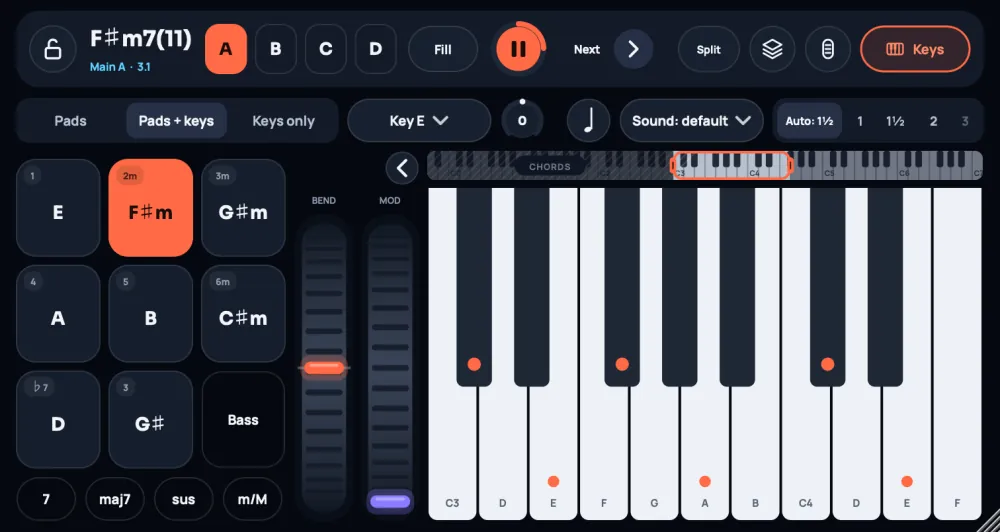
A practice keyboard
On-screen keys and chord pads on your phone or tablet, so you can rehearse with the band anywhere. Turn your phone sideways for the full keyboard.

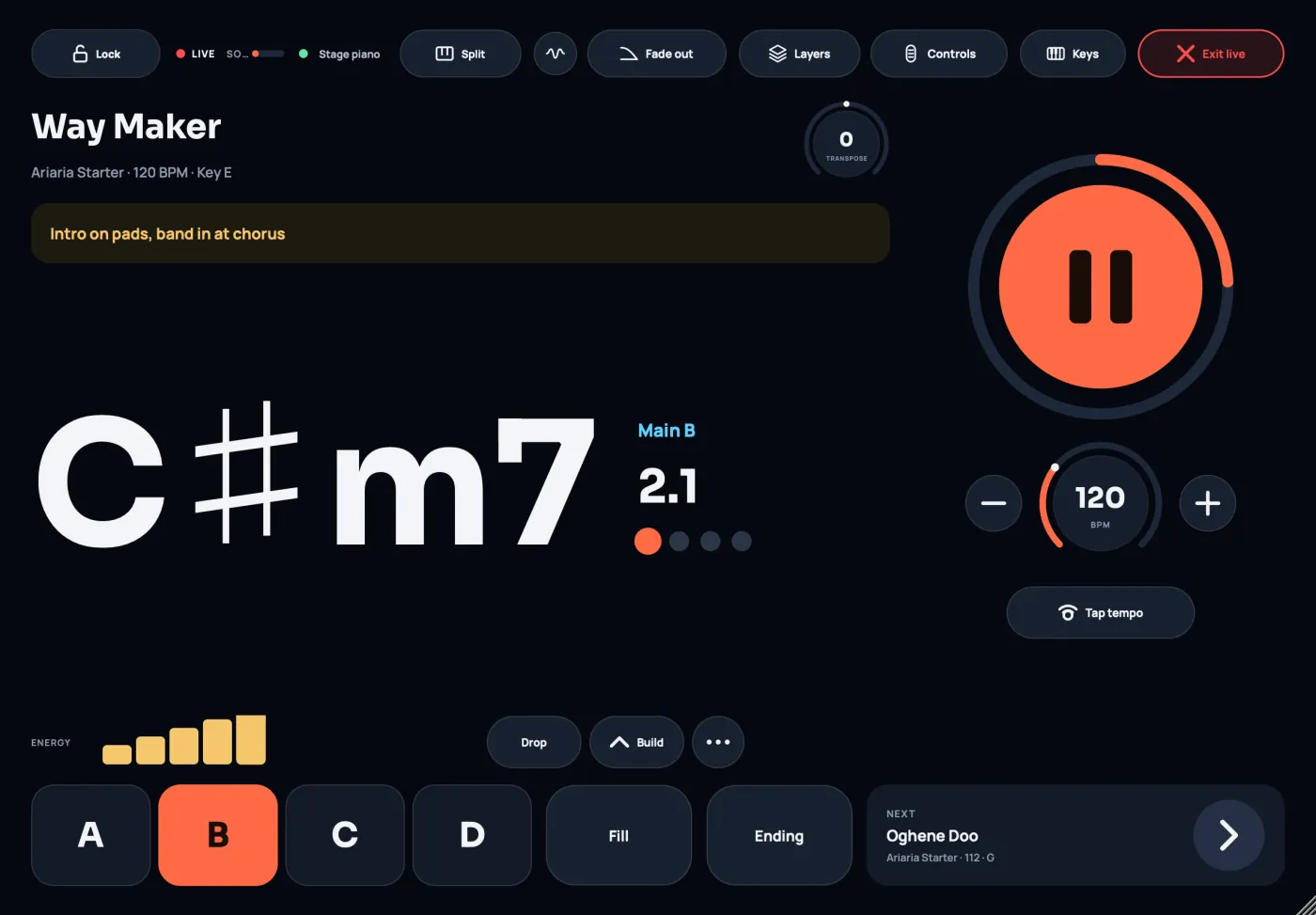
Live mode
One screen you can read from the keys.
The song, your notes, the chord, A to D and the next song, big enough to read at arm's length.
- Lock it. Only Start, the sections, Next and the keys still work, so a stray tap can't stop the band. Hold to unlock.
- Next song from a pedal, at the bar line, with no gap.
- Keys on screen when someone without a keyboard has to step in.
- No internet needed while you play.
Download
On every device you play.
One account works on all of them. Your plan sets how many play at once.

iPhone and iPad
The app, plus a plug-in for music apps on iPad.
Android
Phones and tablets with Android 7 or later.
Mac
The app, plus AU and VST3 plug-ins for your DAW.
Windows
The app, plus a VST3 plug-in for your DAW.
Pricing
One price. Everything included.
Both plans have every feature, every beat and every update. Solo is for one player; Pro covers up to three people, each on their own account.
See full pricingSolo
2 devices at a time
See the price for your country on the pricing page.
Pro
Up to 3 people, 2 devices each
See the price for your country on the pricing page.
Bring a full band to every service and gig.
Try everything free for 14 days on your own devices.
Start your free trial